
Your first note starts here.
Your download will begin automatically. If it didn't, download Hibiscus manually.
Version 0.8.37 · Requires macOS 14 Sonoma or later.
7 days free. No card or account required. No automatic charge.
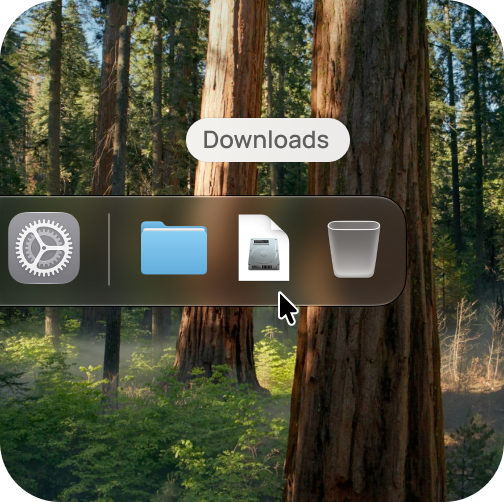
Open Hibiscus.dmg from your Downloads folder
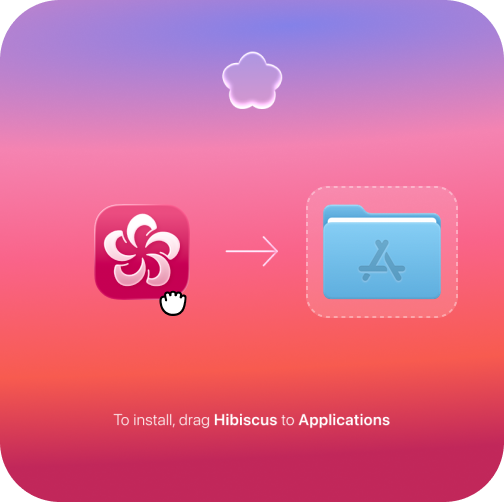
Drag the Hibiscus icon into your Applications folder
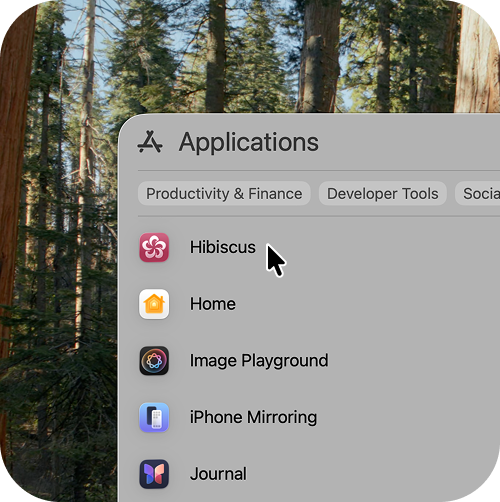
Open the Hibiscus app from your Applications folder
Give it one real task.
- Capture: type an idea or paste a rough draft. To dictate, choose an available speech engine and install its model if needed.
- Shape: choose an available AI model and ask for a summary and next steps. Check the result against your original; try AI edit history to compare and restore.
- Keep: export a Markdown copy and open it in another editor. Decide whether this workflow helps with the work you already do.
Internet is needed to activate the trial and verify your license. Local AI and dictation need compatible models and hardware. Cloud AI usage may cost extra through your provider. After the trial, your existing notes remain readable and exportable.
Need help setting up? Email hi@hibiscus.page or read the setup guides.